
Important info
📆 WordPress 7 was originally scheduled for April 9, but the release has been postponed to late April or early May. More info here.
👉 Test WordPress 7 directly in your browser for free using this link.
🚀 Thanks to Omnisend for sponsoring this video: migrate your email marketing to a better platform, for free!
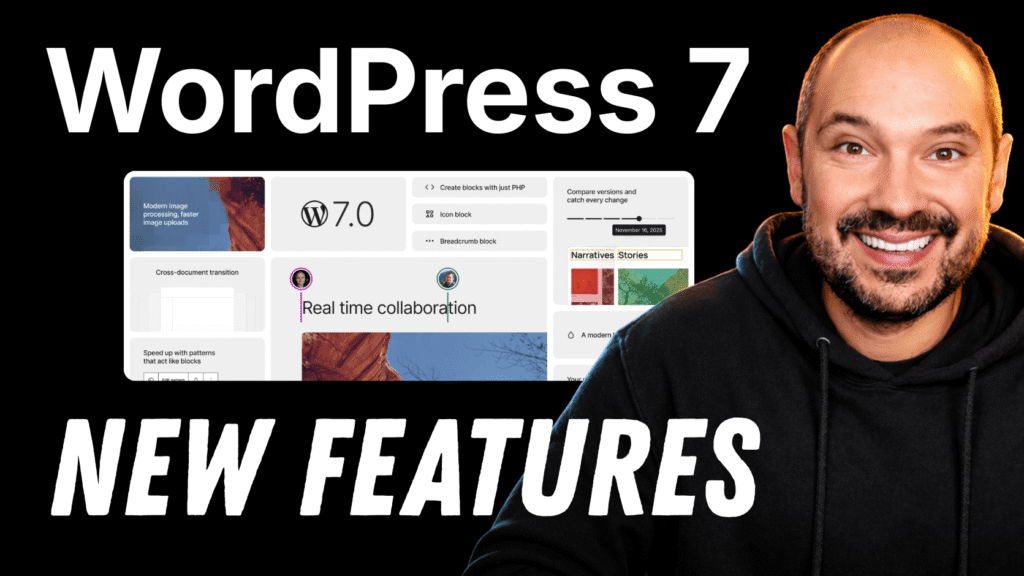
WordPress 7 New Features: The Biggest Changes Coming to the Editor, Admin, and AI Experience
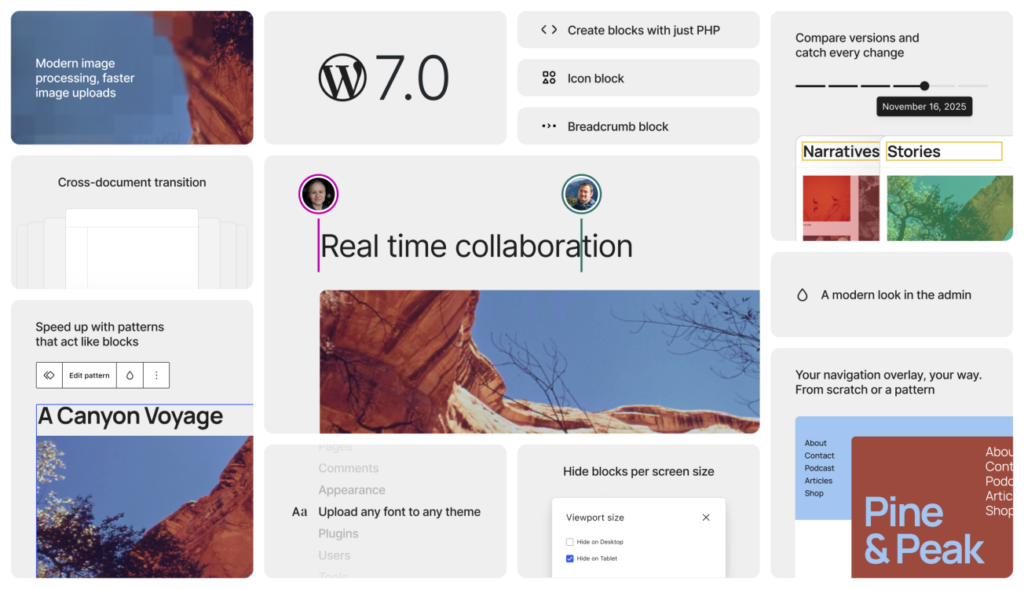
If you watched the video above, you already know that WordPress 7 is shaping up to be a very interesting release. This update is not just about one or two flashy additions. It brings meaningful improvements across the WordPress admin area, the Site Editor, collaboration, revisions, blocks, and AI.
In this article, I want to walk you through the most important WordPress 7 new features in simple words, so you can quickly understand what is changing, what looks genuinely useful, and where things still feel early.
If you like following this kind of update, you can also keep an eye on the WP Roads WordPress News section where I regularly cover the latest WordPress news and upcoming features.
A More Unified WordPress Admin Experience
One of the first things you notice in WordPress 7 is the effort to make the classic admin area feel more aligned with the modern Site Editor experience.
This does not mean wp-admin has been completely redesigned. Instead, WordPress is moving step by step toward a more coherent interface. In practice, you can see subtle but important changes such as:
- updated button styling
- more rounded corners in parts of the interface
- slightly refreshed form fields
- a new default color combination based on the previous “modern” style
- cleaner notifications and navigation indicators
These improvements may look small on their own, but together they make the dashboard feel more polished and more connected to the design language introduced in the Site Editor.
Another nice touch is the subtle fade transition when switching between admin pages. It is not a revolutionary change, but it does make the experience feel smoother and less abrupt.
For long-time WordPress users, this is one of the most interesting directions in WordPress 7 news. It shows that the project is still working toward a more consistent editing environment instead of leaving the old dashboard and the newer editor feeling like two separate worlds.
Faster Access to Commands and Fonts
WordPress 7 also adds a quick link to the command palette directly in the admin bar, making it easier to jump into actions without digging through menus.
There is also a new fonts section under Appearance, where theme fonts can be managed more directly. You can review installed fonts, upload your own, and connect to Google Fonts from inside the interface.
This is a welcome improvement, especially for creators and site builders who want more control over typography without relying on external workarounds.
If you enjoy building more custom WordPress experiences, you may also want to check my Free Resources Collection for snippets, templates, and other useful assets I share on WP Roads.
WordPress 7 Real Time Collaboration Is One of the Most Exciting Additions
Among all the WordPress 7 features, real-time collaboration is probably one of the most exciting.
Inside Settings > Writing, there is now an option to enable early access to collaboration features. Once enabled, multiple users can work on the same post or page at the same time, much more like a modern collaborative editor.
Without this feature, WordPress still behaves in the traditional way: if another person is editing a post, that content is locked and you cannot edit it at the same time.
With collaboration enabled, the lock is replaced by a “join” flow. That means multiple people can enter the same document and work together in real time.
This is a huge shift for editorial workflows, client work, and team-based content production. For agencies, content teams, and anyone managing several contributors, WordPress 7 real time collaboration could become one of the most practical improvements in the release.
That said, it is still early. In testing, some plugins were not yet compatible, and in those cases only one person could edit at a time. So the feature is promising, but you should expect some limitations during the early phase.
A Much Better Revisions Experience
Another standout improvement in WordPress 7 is the new revision manager.
In older versions, revisions were useful, but the interface felt very technical. You often ended up comparing code-like changes or scanning a less intuitive layout to understand what had changed.
In WordPress 7, the revision UI is much more visual. You can move through revisions using a top bar and see the actual page content instead of a more abstract comparison view.
The visual indicators make the experience much easier to understand:
- red highlights show deleted content
- green highlights show added content
- orange highlights show edited content
This makes revision history far more accessible, especially for non-technical users. Instead of feeling like a developer-only feature, revisions now become something editors, marketers, and clients can actually use with confidence.
For me, this is one of the most practical WordPress 7 new features because it improves a core workflow that many people rely on every day.
Navigation Overlay Templates Make Menus More Flexible
WordPress 7 also improves the Navigation block with a new overlay template feature.
This gives you more freedom when creating mobile or overlay-based menus. Instead of being stuck with a simple default structure, you can build richer menu overlays and insert almost any block you want inside them.
For example, you could add:
- a logo
- an image
- extra content blocks
- custom layout elements
- supporting text or branding sections
This opens the door to much more polished mobile navigation designs directly inside the Site Editor.
Even better, these overlays can be managed through patterns, so you can keep them organized, edit them later, and build a more reusable workflow.
For WordPress creators who care about design flexibility, this is a very welcome enhancement.
Site Editor Improvements in WordPress 7
Beyond the headline features, WordPress 7 includes several smaller Site Editor improvements that are genuinely useful.
Cover Block Video Backgrounds From URL
The Cover block now supports embedding a background video directly from a URL, including services like YouTube or Vimeo.
That makes it much easier to create more dynamic hero sections without complicated workarounds.
Better Hide Options for Blocks
Previously, hiding a block was much more limited. In WordPress 7, the hide flow has been improved and now gives you more control.
You can choose whether to:
- omit a block from published content
- hide it on specific devices
This is especially useful when you are still working on part of a layout or when you want better control over responsive design.
Custom CSS on Individual Blocks
This is a small change, but many advanced users will appreciate it immediately.
In WordPress 7, you can now add custom CSS directly to an individual block from the Advanced settings. That makes it easier to fine-tune specific design details without relying entirely on broader stylesheets or external tools.
If custom styling is part of your workflow, my WPCodeBox review is also worth checking out, especially if you want a cleaner way to manage snippets, CSS, PHP, and JavaScript on WordPress sites.
Editing-Only Mode for Patterns
Patterns now land in content with a more protected editing flow. At first, they behave in a more limited editing-only mode, and if you want deeper control you can explicitly jump into full pattern editing.
This makes the editing experience safer and more structured, especially for reusable layouts.
New Blocks and Block Improvements in WordPress 7
When looking at WordPress 7 features, new blocks are always something people want to know about.
Icon Block
WordPress 7 introduces a new Icon block. It is still fairly simple, but it gives you a native way to insert icons and control settings such as:
- label
- text color
- background color
- dimensions
- padding
- border
It is not the most advanced icon solution ever, but it is a useful native addition and a solid starting point.
Breadcrumbs Block
A new Breadcrumbs block is also included. This lets you display breadcrumbs more easily and customize details like:
- whether to show the home breadcrumb
- whether to show the current item
- which separator to use
For many websites, this can improve navigation and give a bit more structure to the page experience.
Gallery Block Lightbox Navigation
The Gallery block also gets a nice improvement. When “enlarge on click” is enabled, users can now navigate between images more smoothly instead of closing one image and reopening the next.
It is a simple enhancement, but it makes native galleries feel much better for visitors.
WordPress 7 AI Features: A New Starting Point Inside Core Workflows
The AI side of WordPress 7 is one of the most talked-about topics around this release, and for good reason.
When you update to WordPress 7, you will find a new Connectors area in settings. This is where AI providers can be connected so WordPress can use external models inside the admin experience.
This is why people are already paying close attention to terms like WordPress 7 AI, WordPress 7 AI features, and WordPress 7 AI connectors.
The basic idea is simple: connect a provider, install the needed AI-related plugin pieces, add your API key, and start using AI-assisted features inside WordPress.
This is not yet a fully mature AI ecosystem built directly into every part of WordPress, but it is a very important foundation. It creates a standardized entry point for AI inside the platform.
For anyone following the future of WordPress and AI, this is probably one of the biggest strategic changes in the whole release.
What You Can Actually Do With AI in WordPress 7
Once the AI plugin and connectors are set up, WordPress 7 starts offering a set of practical AI-powered tools.
Generate Title Suggestions
Inside a post, you can generate multiple title suggestions based on the content.
This is useful for brainstorming, especially when you already have the article drafted and want a few variations quickly. At the moment, the system feels quite basic. You get suggested options, but not much control over tone, length, or prompting.
So yes, it is useful, but still limited.
Generate Content Summaries
Another feature lets you generate a summary of the current post or page.
This can save time when drafting excerpts, intros, or condensed versions of content. It is one of the more immediately useful AI features because it supports a real editorial workflow.
Generate Review Notes
You can also ask WordPress to generate review notes based on the content.
This feature scans the page and can flag things that may need attention, including accessibility or content-related observations. It is an interesting direction because it moves AI beyond pure content generation and into content review.
AI Image Generation Is Already Very Practical
The image features are among the most visually impressive parts of WordPress 7 AI.
Generate Featured Images
You can generate a featured image based on the content of your post or page.
This is useful when you want a quick visual starting point. In testing, the results were not always amazing, and generation could take a bit of time, but the workflow itself is very promising.
Generate Inline Images From a Prompt
You can also generate images directly inside the content editor from a prompt.
That means you can insert an image block, describe the image you want, and generate it without leaving the editor. This is one of those features that feels genuinely futuristic inside WordPress, even if the quality still depends on the current state of the tools.
Edit Images With AI
The Media Library also gains several AI editing options, including:
- refine image
- expand background
- remove background
- remove item
- replace item
This is where WordPress 7 starts to feel like more than just a CMS update. It begins to look like the platform is slowly absorbing creative workflows that previously required external apps.
For content creators, bloggers, marketers, and small business owners, that could become a major time saver.
Generate Alt Text Automatically
WordPress 7 can also generate alt text for images automatically.
That is a genuinely useful accessibility improvement, especially for busy publishing workflows. Right now, bulk generation is still missing, but even one-by-one generation can save time and reduce friction.
Is the New AI Experience Ready for Everyday Use?
The honest answer is: partly.
The direction is exciting, and the foundation matters a lot. But in its current form, the AI experience still feels early in some places.
A few limitations stood out:
- some features can be slow
- experimental tools may throw errors
- title generation is still quite rigid
- plugin compatibility can affect collaboration
- image output quality can vary
So I would not describe the WordPress 7 AI features as fully mature yet. I would describe them as the beginning of something important.
And honestly, that is still a big deal.
Why WordPress 7 Feels Like an Important Release
What makes WordPress 7 interesting is not just the number of features. It is the direction behind them.
This release pushes WordPress forward in three important ways:
- a more modern and unified admin experience
- better collaborative and editorial workflows
- a clear first layer of AI integration inside WordPress
That combination matters.
The admin refinements make WordPress feel more polished. The real-time collaboration feature makes it more team-friendly. The revision improvements make content management easier. The Site Editor updates add more flexibility. And the new AI layer shows where WordPress may be heading next.
If you have been following the evolution from classic WordPress to a more visual, block-based, intelligent platform, this release feels like another meaningful step in that transition.
For a look at how the project has been evolving from one release to the next, you can also read my article on WordPress 6.9 new features. It is a good comparison point if you want to see the broader direction of recent WordPress updates.
Final Thoughts on WordPress 7
WordPress 7 brings a strong mix of usability improvements, editor enhancements, and early AI workflows.
The biggest highlights for me are:
- real-time collaboration
- the redesigned revisions experience
- new flexibility in the Navigation block
- useful Site Editor quality-of-life upgrades
- the first real AI connector and AI feature framework inside WordPress
Not every feature is fully mature yet, and some parts clearly still need refinement. But the overall direction is very promising.
If you want to keep building smarter WordPress websites in the AI era, this is definitely a release worth paying attention to.
And if you are interested in the broader WordPress ecosystem I am building around tutorials, tools, and products, you can also take a look at Uno Plugins, where I share the plugin side of what I am working on at WP Roads.
To dive deeper into WordPress 7 new features I invite you to read the WordPress 7 Source of Truth on Gutenberg Times website.